Home / Crochet project planner
Free printable crochet project planner (fill in, then print)
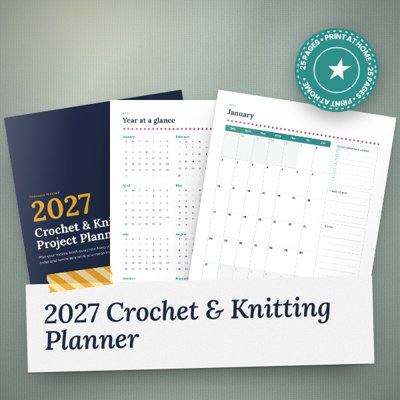
A crochet and knitting project planner you fill in on screen and print as one clean page: project page, row tracker, yarn shopping list and a whole-year 2027 make list. Leave a box empty and it prints as a blank line to write in.
Saved on this device only. Nothing is uploaded. In the print window choose "Save as PDF" to keep a copy.
Preview
What to put on a crochet project planner page
- Pattern, designer and size. With a link or the book page, so you can find it again for the second sleeve.
- Yarn details from the label: brand, weight, fibre, colour name and dye lot. If you run short, the dye lot is what gets you a matching skein. Not sure how much to buy? The yarn calculator gives yards and skeins.
- Hook or needle size and your gauge. Write down your real gauge, not just the pattern's. The gauge converter shows the size you'll get if they don't match.
- Dates. A due date turns "someday" into a plan. For gifts, check the hours with the crochet time calculator or the handmade gift planner.
- A row tracker to tick as you go, and notes on every change: an extra repeat, a different hook for the border.
- Finishing checklist: weave in ends, block, add a label, photograph it. Our weaving in ends guide covers the first one.
How to use the row tracker
Print it, clip it to your pattern and strike through a box at the end of each row or round. For patterns with a repeat, colour every 4th or 8th box first so you can see where each repeat starts. Prefer your phone? The online row counter does the same with big buttons and keeps the screen awake.
Planning a year of makes for 2027
The make list page gives each month of 2027 a box. Start with fixed dates (birthdays, Christmas, a craft fair), work back from each one, and leave a few months light: a big blanket rarely fits round other projects. Pair it with the free 2027 calendar printable to mark deadlines, and keep every work in progress in the online project tracker.
Tips for a planner you'll keep using
- Keep one page per project in a ring binder or a clear sleeve in your project bag.
- Staple a yarn label and a short snip of yarn to the page.
- Note the hours and the cost of materials. Those two numbers are most of a fair price if you sell: see how to price crochet items.
- When it's finished, add a photo and what you'd do differently. Next time you make it, it's all there.
The planner pages are our own layout. Everything you type stays in this browser and prints on your own printer; nothing is sent anywhere.
Questions crafters ask
What should be in a crochet project planner?
The pattern and size, yarn details (brand, weight, colour, dye lot, yards and skeins), hook or needle size, your gauge, start and due dates, a row tracker and notes on any changes. A finishing checklist helps too.
Is this crochet planner printable free?
Yes. Fill in as much as you like on screen, then print or save it as a PDF. There's no sign-up, and empty boxes print as lines to fill in by hand.
Can I use it for knitting?
Yes. Choose Knitting and the page says needle size instead of hook size. The row tracker works for rows or rounds in either craft.
How do I print the planner as a PDF?
Press 'Print or save as PDF', then choose 'Save as PDF' as the printer. Use 'Actual size' so the page fits A4 or US letter.
How do I keep track of rows in crochet?
Strike through one box on a printed row tracker at the end of each row, use a stitch marker in the first stitch of each round, or use an online row counter on your phone.
Free printable sampler
Journaling cards, a vintage ephemera sheet and a planner page from our shop, free to print. Plus new freebies and pattern ideas now and then.
Free. No spam, unsubscribe in one click. See our privacy policy.